
Cover Art
Apple Music Animated Cover Art: Everything You Need to Know
May
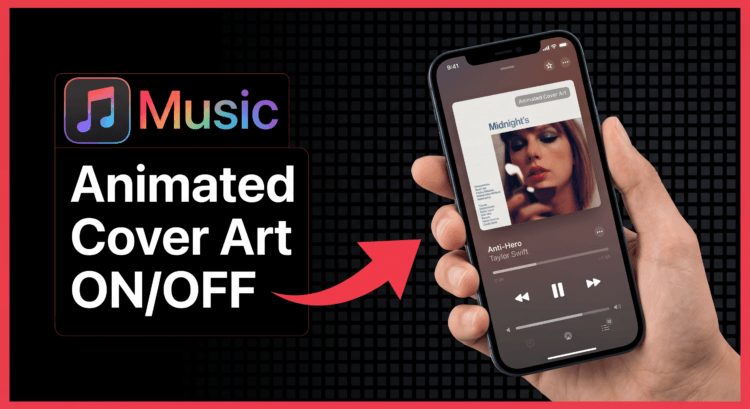
Apple Music animated cover art is one of those features that changes how you experience streaming music. You’ve probably noticed it already — some albums and singles have cover art that actually moves. Not a video, not a slideshow — just a subtle, looping animation that breathes life into what used to be a still image. It’s a small detail, but once you see it, you can’t unsee it. And if you’re an artist, you’re probably wondering: how do I get that for my music?
This guide breaks down everything you need to know about Apple Music animated cover art — what it is, how it works, who can use it, and how to actually create one that looks stunning.
What Is Apple Music Animated Cover Art?
Apple Music animated cover art (sometimes called animated artwork or motion artwork) is a looping video file that replaces the static album cover when listeners play your music on Apple Music. Instead of a flat image, your cover art plays a short clip — usually between 3 and 30 seconds — on repeat while the song is playing.
Think of it like a living album cover. The background might shift, colors might pulse, abstract shapes might drift across the frame. It’s designed to be subtle and atmospheric, not distracting — but it makes a serious impression.
Apple introduced this feature as part of its ongoing effort to give artists more creative control over how their music is presented on the platform. And honestly? It’s one of the best things to happen to digital music presentation in years.
How Does Apple Music Animated Cover Art Work?
When a listener plays your track on Apple Music, the platform detects whether you’ve submitted an animated artwork file alongside your audio. If you have, it pulls that file and displays it in the Now Playing view, on the album page, and in certain playlist contexts.
The animation loops seamlessly — Apple requires the file to be smooth enough that there’s no visible jump when it cycles back to the beginning. This is actually one of the trickier parts of creating animated cover art: getting a perfect loop that feels natural.
On the technical side, Apple Music accepts animated artwork in a specific format. The file needs to be an H.264-encoded video in an MP4 container, with no audio track. The resolution should match your static artwork (at least 3000×3000 pixels), and the duration typically falls between 3 and 30 seconds. The file size limit Apple enforces is usually around 200MB, though most well-optimized animated covers come in well under that.
Why Bother With Animated Cover Art?
Here’s the honest truth: streaming is a crowded space. When someone is flipping through playlists or browsing new releases, most of what they see is a wall of static images. Animated cover art immediately stands out. It catches the eye in a way that still images simply can’t.
Beyond just getting attention, there’s something to be said for the emotional experience of animated artwork. A slow, breathing animation can deepen the mood of a chill lo-fi track. A sharp, kinetic motion piece can amplify the energy of an electronic release. Done right, the animation becomes part of the music itself — an extension of the sonic experience into the visual realm.
From a purely practical standpoint, artists who use animated cover art tend to see stronger engagement metrics on Apple Music. More saves, more playlist adds, more profile visits. The platform rewards content that keeps listeners engaged, and moving images do that better than static ones.
Who Can Submit Animated Cover Art to Apple Music?
This is where a lot of artists get confused. Not every distributor supports animated artwork uploads, and Apple’s own submission process has some nuances worth understanding.
If you’re submitting through a major label distributor, the process is typically handled by their team. They have direct pipeline access and can include the animated file as part of your release package. Apple provides detailed submission guidelines through Apple Music for Artists, which is worth bookmarking regardless of how you distribute.
For independent artists, the situation varies by distributor. Some of the major indie distributors — including DistroKid, TuneCore, and CD Baby — have rolled out support for animated artwork submissions, though availability and pricing differ across platforms. Some charge an additional fee for the feature; others include it in higher-tier plans.
The cleanest route is to check directly with your distributor before you finalize your release. Ask specifically whether they support Apple Music animated artwork submission and what format they require you to deliver the file in. Some distributors want the raw MP4; others have their own upload portals with specific encoding guidelines.
How to Create Apple Music Animated Cover Art
This is the part that trips most artists up. Creating animated artwork that actually looks good — and meets Apple’s technical requirements — takes more thought than just slapping a filter on your album cover and calling it a day.
Start With Your Static Cover Art
Your animated artwork should feel like a natural evolution of your static cover, not a completely different piece. Start with the same visual elements — the same color palette, the same typography style, the same overall composition. Listeners who see your static cover on Spotify and your animated version on Apple Music should immediately recognize them as part of the same visual identity.
Keep the Movement Subtle and Intentional
The most common mistake artists make with animated cover art is overdoing the motion. Heavy transitions, constant movement, flashing elements — these feel jarring in a Now Playing view where someone is just trying to relax and listen to music. The best animated covers have movement that you almost don’t notice at first: a slow parallax effect, gently shifting light, a texture that breathes.
Think about what emotion your music is trying to convey and let the motion reinforce that. A lo-fi hip-hop track might have softly drifting particles and warm, amber light. A dark ambient piece might have almost imperceptible slow movement in shadows and deep hues. The animation should serve the music, not compete with it.
Nail the Loop
This is technically the hardest part. Apple Music plays your animation on a continuous loop, so the end of the clip needs to flow back into the beginning without any visible cut. If your animation doesn’t loop cleanly, it will look broken and unprofessional.
The standard approach is to use motion design software (After Effects is the industry standard, though Davinci Resolve and even Canva Pro can work for simpler animations) to create a true seamless loop. This means whatever is happening at the last frame needs to visually connect to the first frame — same position, same light, same motion direction.
Match the Technical Specs
Before you export, double-check these specs against Apple’s current requirements:
- Format: MP4 (H.264 video codec)
- Resolution: Minimum 3000×3000 pixels (square, 1:1 aspect ratio)
- Frame rate: 30fps or 60fps
- Duration: 3 to 30 seconds
- No audio track — strip any audio before export
- Color space: sRGB recommended
- File size: Under 200MB
Export at the highest quality you can while staying under the file size limit. A well-compressed H.264 file at 3000×3000 with a 10-second loop should come in well under 50MB if you’re using proper export settings.
Where to Get Apple Music Animated Cover Art Made
Not every artist is a motion designer, and that’s completely fine. There’s a growing ecosystem of creatives and services that specialize specifically in animated artwork for streaming platforms. If you need pre-made cover art for your release as well, that process pairs naturally with getting your animated artwork done.
When you’re looking for someone to create your animated cover, there are a few things to look for. First, make sure they understand the specific technical requirements for Apple Music — not all motion designers do. Second, look at their portfolio to see whether their work actually loops seamlessly or just fades out. Third, ask about the deliverable format and whether they’ll provide both the animated MP4 and a separate static PNG or JPEG for platforms that don’t support animation.
At BuyCoverArt, we specialize in exactly this. Our animated cover art is designed from the ground up to meet Apple Music’s submission requirements, loop flawlessly, and visually align with your brand as an artist. Whether you need something abstract and atmospheric or bold and graphic, we build animated covers that actually elevate how your music is experienced.
Apple Music Animated Cover Art vs. Spotify Canvas
If you’ve been in the streaming world for a bit, you’re probably already familiar with Spotify Canvas — Spotify’s version of animated artwork that plays in a vertical format while listeners stream your track. Apple Music animated cover art and Spotify Canvas serve similar purposes but have some key differences worth knowing.
The most obvious difference is the aspect ratio. Apple Music animated artwork is square (1:1), while Spotify Canvas is vertical (9:16 or 2:3). This means you can’t just use the same file for both — you’ll need to create separate versions for each platform.
There’s also a difference in how each platform positions the animation in the UI. Spotify Canvas fills a larger portion of the screen in the Now Playing view, making bold, graphic animations feel at home. Apple Music tends to display the artwork in a slightly more contained way, which means subtler, more refined motion often performs better aesthetically on Apple’s platform.
The content restrictions differ slightly too. Spotify Canvas has fairly strict policies around flashing imagery, explicit content, and text-heavy visuals. Apple Music has its own content guidelines that you’ll want to review before submitting.
Common Questions About Apple Music Animated Cover Art
Does animated cover art show on all devices?
Animated artwork currently displays on iPhone, iPad, and Mac when using the native Apple Music app. It may not display on all third-party integrations or older software versions. Apple continues to expand support, so the device coverage has been getting better over time.
Can I submit animated artwork for an EP or album, or just singles?
You can submit animated artwork for any release type — singles, EPs, and full-length albums. For albums, the animated artwork typically applies to the release as a whole rather than individual tracks, though this can vary based on how your distributor handles the submission.
What if my distributor doesn’t support animated artwork?
If your current distributor doesn’t offer animated artwork submission, you have a couple of options. Some distributors allow you to add animated artwork to already-distributed releases by updating the release metadata. Alternatively, you might consider switching to a distributor that supports the feature for future releases. It’s worth the move if visual presentation matters to you — and for most artists, it should.
Does animated cover art affect streaming numbers?
There’s no direct algorithmic boost from having animated artwork, but the indirect benefits are real. Higher visual engagement tends to correlate with better listener retention, which does feed into Apple Music’s recommendation algorithms over time. Think of it as a long-term investment in your presence on the platform rather than an overnight play count driver.
Final Thoughts
Apple Music animated cover art is one of those features that might seem like a small detail but actually makes a meaningful difference in how listeners experience your music. In a world where attention is the scarcest resource, giving people something visually alive to look at while your music plays is worth every bit of effort it takes to execute properly.
Whether you’re handling the design yourself or working with a specialist, the goal is the same: create something that feels intentional, looks polished, and genuinely adds to the emotional world of your music. When you get it right, it doesn’t just look good — it feels like the music.
Ready to get your animated cover art made? Check out what we offer at BuyCoverArt and let’s bring your visual identity to life.